
Game title: KREN
In November 2016 I met Denis (@darftey). He’s a pixel artist. One of the best I’ve ever met, actually. We teamed up to develop Fuzeboy. It shouldn’t come as a surprise that since then, the development of KREN has been put on hold indefinitely. We’re pushing hard on this mobile platformer game. There is still…
I’ll write a longer post soon. You can watch the video on youtube with some audio effects as well. I’m still early into the planning stages of the game. I just needed a platformer engine I can work with to build the game. It’s going to be a Metroidvania type of game. More on that…
This post is outdatedThe following (quite naive) ideas and methods have now been replaced. This post was written when I was just starting out with game development (I was learning GameMaker Studio). Player now has data (like energy, starting_x and starting_y positions, starting direction and so on) and a nice inventory of permanent upgrades. I’ve…
This entry marks the first entry of a new Devlog Series. I’m currently working on a couple of GameMaker projects and I thought it might be useful to document my development process. I’ve been inspired to do so by reading the Loadworld Devlog PT. 2 by @ZackBellGames
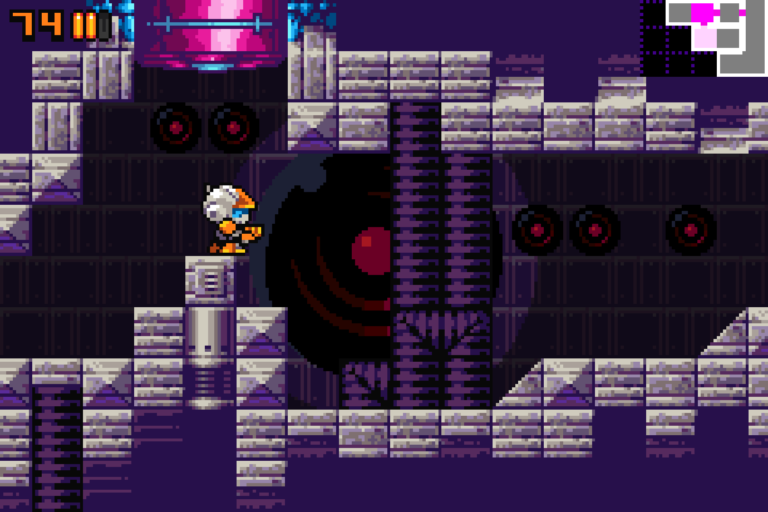
So, in response to this hilarious tweet by Burrito Tim, I’m officially naming my 2D Sci-Fi Action Adventure Platformer, Dark Titan – Battle Over Fire! Indies, not sure what to call your next game? Pick any of the red tiles: pic.twitter.com/KcMMWnTk1G — Burrito Tim (@Burrito_Tim) 22 August 2018 Here it is in all its glory. Well……
The Metroidvania Metroid-like game genre, from a development perspective, is quite complex to master. World and level design, for examples, are core elements of the game along with player abilities and game physics. You cannot plan one without the other. This is because player abilities, powerups and game physics, are the very elements that allow the Player…